Services and Traffic Routing
Assumes: the pod IP model from Networking Concepts, and Pods and Deployments.
Pods are ephemeral. Their IPs can change as they are recreated.
A Service gives clients a stable destination while Kubernetes updates backend pod endpoints behind the scenes.
How a Service Works
A Service typically includes:
- selector: chooses backend pods by label.
- virtual IP (ClusterIP): stable in-cluster address.
- DNS name: stable service discovery name.
- port mapping: client-facing port to container-facing target port.
apiVersion: v1
kind: Service
metadata:
  name: web
spec:
  selector:
    app: web
  ports:
    - port: 80
      targetPort: 8080
The ClusterIP is not a real destination
The single most useful mental model for Services: a ClusterIP does not exist anywhere as a network interface. No pod owns it, no node answers for it, and nothing listens on it.
Instead, kube-proxy on every node programs packet-rewriting rules (iptables, IPVS, or nftables - or eBPF when the CNI replaces kube-proxy). When a pod sends a packet to 10.96.14.7:80, the sender's own node rewrites the destination to one of the backend pod IPs before the packet ever leaves:
sequenceDiagram
    participant C as Client pod
    participant N as Client's node<br/>(kube-proxy rules)
    participant B as Backend pod 10.244.2.8

    C->>N: packet to 10.96.14.7:80 (ClusterIP)
    N->>N: DNAT: rewrite dst to 10.244.2.8:8080
    N->>B: packet to 10.244.2.8:8080
    B-->>C: reply (conntrack reverses the rewrite)
Consequences of this design that explain otherwise-mysterious behavior:
- You cannot
pinga ClusterIP. ICMP isn't rewritten by the service rules - only the declared ports/protocols are. A dead ping proves nothing about service health; usecurlorncagainst the actual port. - Load balancing is per-connection, not per-request. The DNAT decision is made once when the connection opens and remembered by conntrack. Long-lived HTTP/2 or gRPC connections stick to one backend, which is why gRPC-heavy services often see uneven load and need client-side or mesh-level balancing.
- There is no health checking in the data path. Backends are added and removed purely by readiness: the EndpointSlice controller includes a pod only while its readiness probe passes. A "load-balancing problem" is almost always a readiness or selector problem.
- When a backend pod dies mid-connection, existing connections break. The Service abstraction reroutes new connections; it cannot migrate established ones.
Service Types
1) ClusterIP (default)
Internal-only virtual IP for in-cluster access.
Use when workloads communicate inside the cluster.
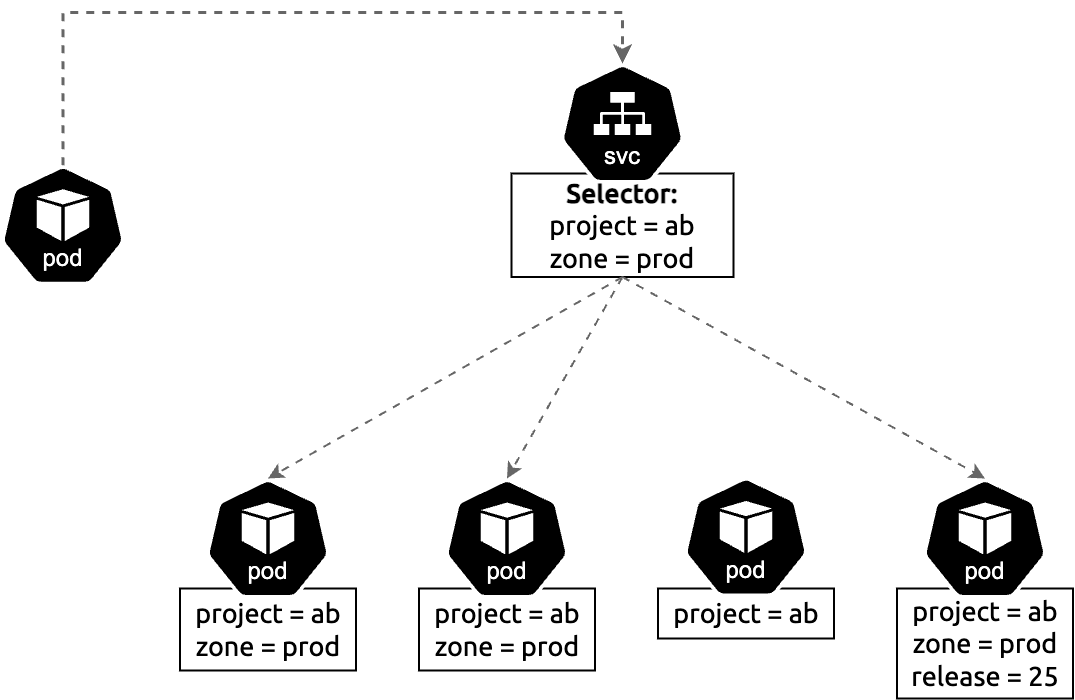
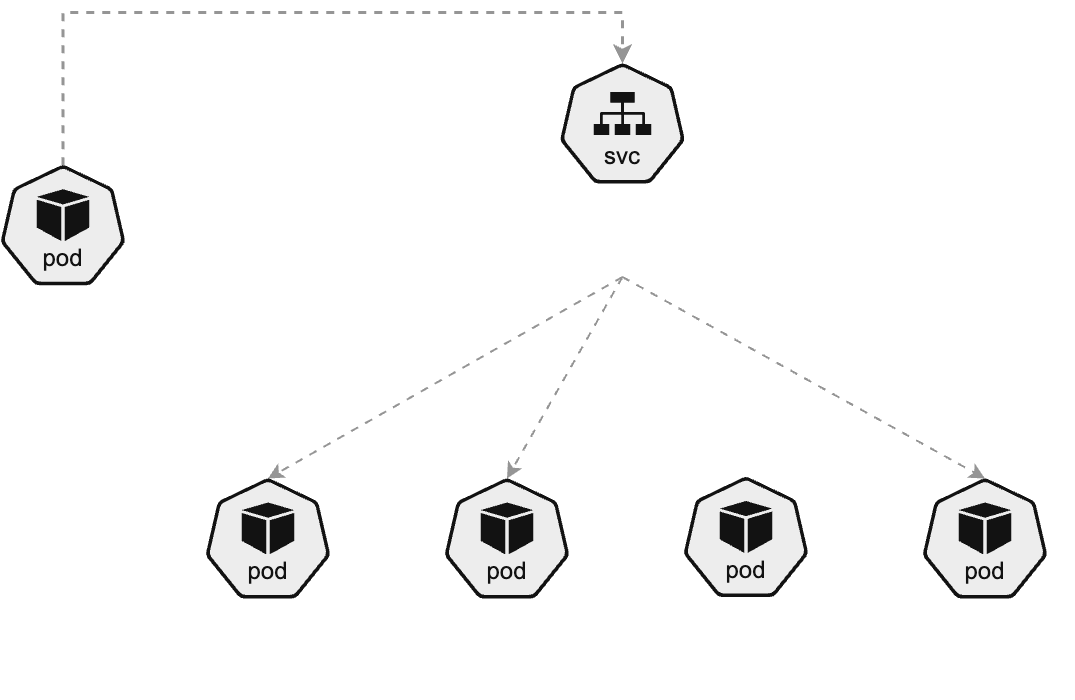
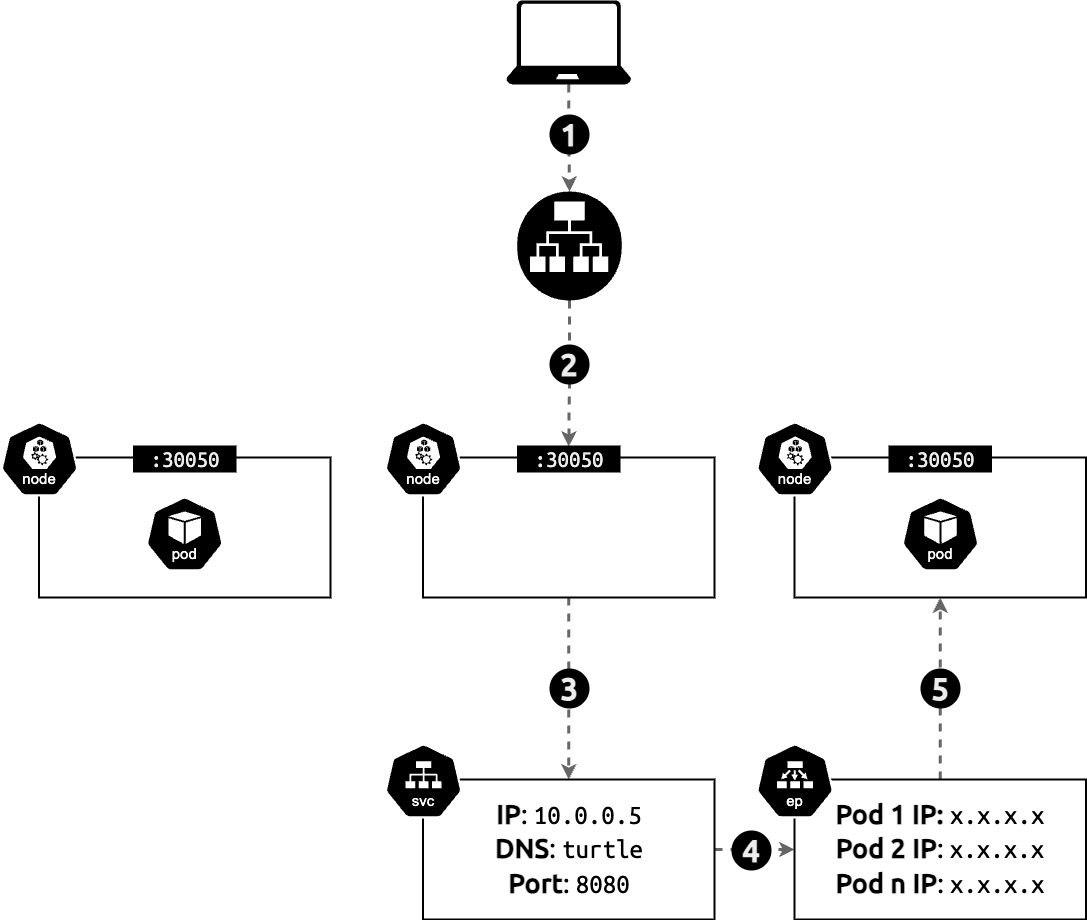
2) NodePort
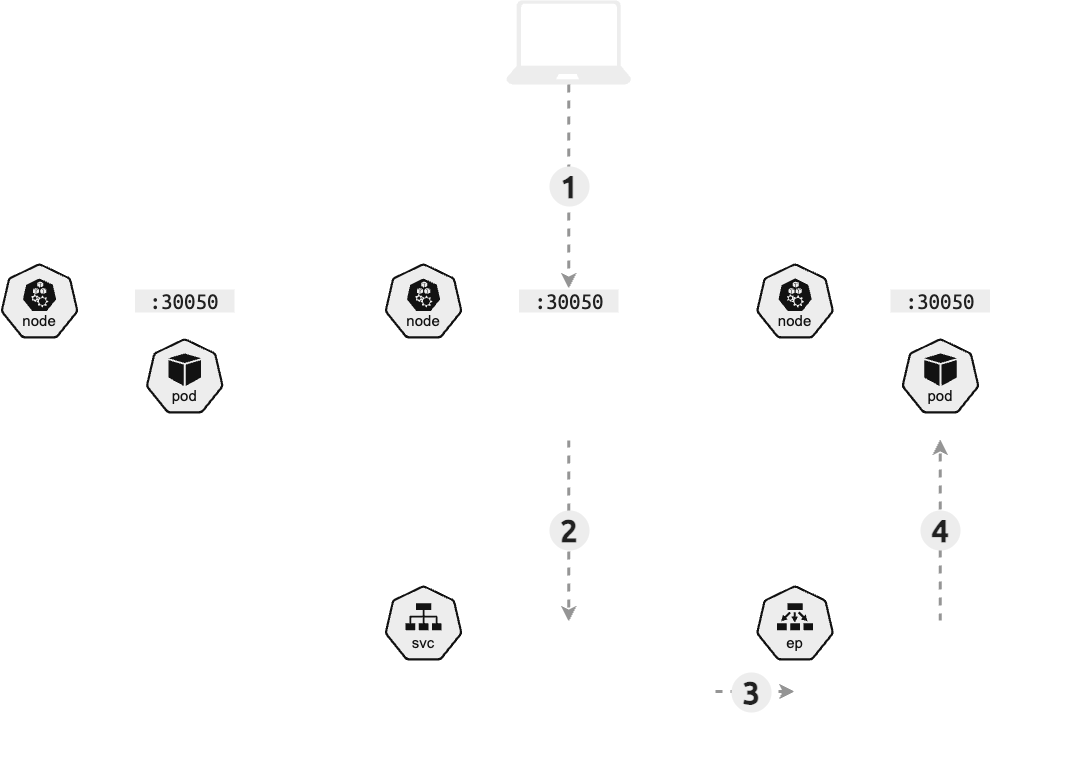
Exposes service on each node IP and a static port (default range 30000-32767).
Use for basic external testing or on-prem setups without a cloud load balancer.
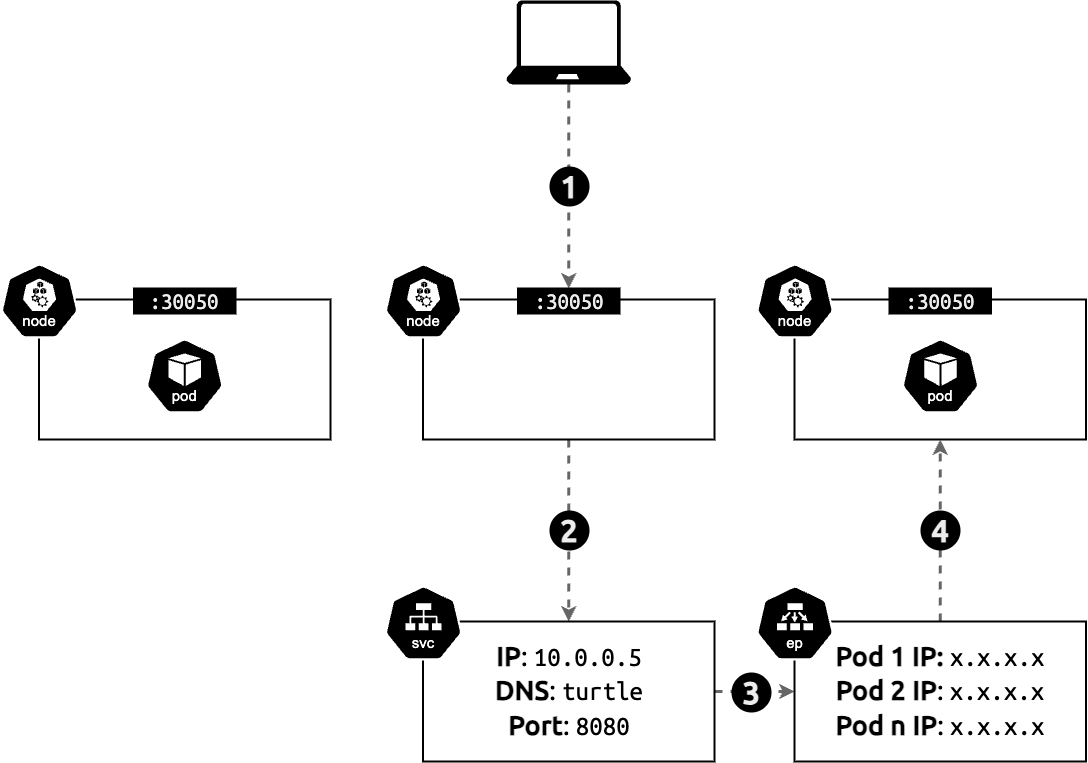
3) LoadBalancer
Requests an external load balancer from your infrastructure provider (cloud or compatible on-prem implementation).
4) ExternalName
Maps a Service to an external DNS name, without pod backends.
This type returns a CNAME record rather than a ClusterIP. No proxying occurs.
Headless Services
Setting clusterIP: None creates a headless Service that returns pod IPs directly from DNS instead of a virtual IP. This is how StatefulSets provide stable per-pod DNS names.
DNS for a headless service returns A records for each ready pod IP directly, rather than a single ClusterIP. Clients get all pod addresses and choose themselves.
EndpointSlices
Kubernetes stores service backend endpoint data in EndpointSlice objects.
This improves scalability compared to the older Endpoints object for large services.
Check backend resolution:
externalTrafficPolicy
For NodePort and LoadBalancer services, externalTrafficPolicy controls whether external traffic is routed cluster-wide or only to pods on the receiving node.
Cluster(default): traffic can be forwarded to any node that has a ready pod. Source IP is NAT'd, so the pod sees the node IP rather than the client IP.Local: traffic is only sent to pods on the node that received it. Preserves the client source IP but causes uneven load distribution if pods are not evenly spread across nodes.
Use Local when your app needs the real client IP (e.g. for rate limiting or geo routing) and you accept the tradeoff.
Session Affinity
By default, each connection is independently load-balanced across pod endpoints. To route repeated connections from the same client to the same pod, use session affinity:
This is based on the source IP as seen by the Service, not the original client IP (use externalTrafficPolicy: Local if you need the real client IP to drive affinity).
Common Pitfalls
- Selector mismatch: Service has no endpoints.
- Wrong
targetPort: traffic reaches pod IP but wrong container port. - Readiness probe failures: endpoints removed because pods are not ready.
- Using
sessionAffinitywithClusterexternalTrafficPolicy and expecting it to track real client IPs.
Certification notes
kubectl expose deployment web --port=80 --target-port=8080creates a Service imperatively - the fastest exam path.- "Service has no endpoints" debugging is a guaranteed exam pattern: check the selector against pod labels, then pod readiness.
kubectl get endpointslices -l kubernetes.io/service-name=<svc>shows the truth. - Know the NodePort range (30000-32767) and that
port,targetPort, andnodePortare three different things.
Summary Table
| Type | Visibility | Typical use |
|---|---|---|
ClusterIP |
Internal | Service-to-service traffic |
NodePort |
External via node IP | Basic external exposure |
LoadBalancer |
External LB IP/hostname | Public or private ingress point |
ExternalName |
DNS alias | External dependency abstraction |
Check Yourself
You create a Service and kubectl get endpointslices shows no endpoints. Name two causes.
Either the Service's selector does not match the pods' labels (the most common), or the pods exist and match but are not Ready, so the endpoint controller deliberately excludes them. Both present identically from the client side: connections to the ClusterIP fail immediately.
Why does a LoadBalancer Service stay in <pending> on your local kind cluster forever?
There is no cloud controller to hand out an external IP. LoadBalancer is a request for the infrastructure to provision one; on a local cluster nothing answers it. Use NodePort or kubectl port-forward instead.
Two clients keep hitting the same backend pod even though there are five replicas. What could explain it?
Session affinity set to ClientIP, or connection reuse - a Service load-balances at connection setup, not per request, so a long-lived HTTP/2 or keep-alive connection stays pinned to one pod. gRPC clients hit this constantly.
You set externalTrafficPolicy: Local. What do you gain and what do you risk?
You preserve the client's real source IP and avoid a second hop between nodes. The risk is uneven load and dropped traffic: nodes with no local backend pod stop answering for the Service, so your external load balancer must be health-checking node by node.
Related Concepts
- Learning Paths - where this page sits in your track
- Networking Overview
- DNS and Service Discovery - how names become these ClusterIPs
- Ingress
- Gateway API
- Pods and Deployments
Beginner track - step 6 of 12. Next: Namespaces. Back to the track overview.