Argo Workflows: Eight Arms, One DAG
Published August 10, 2026 · Ecosystem
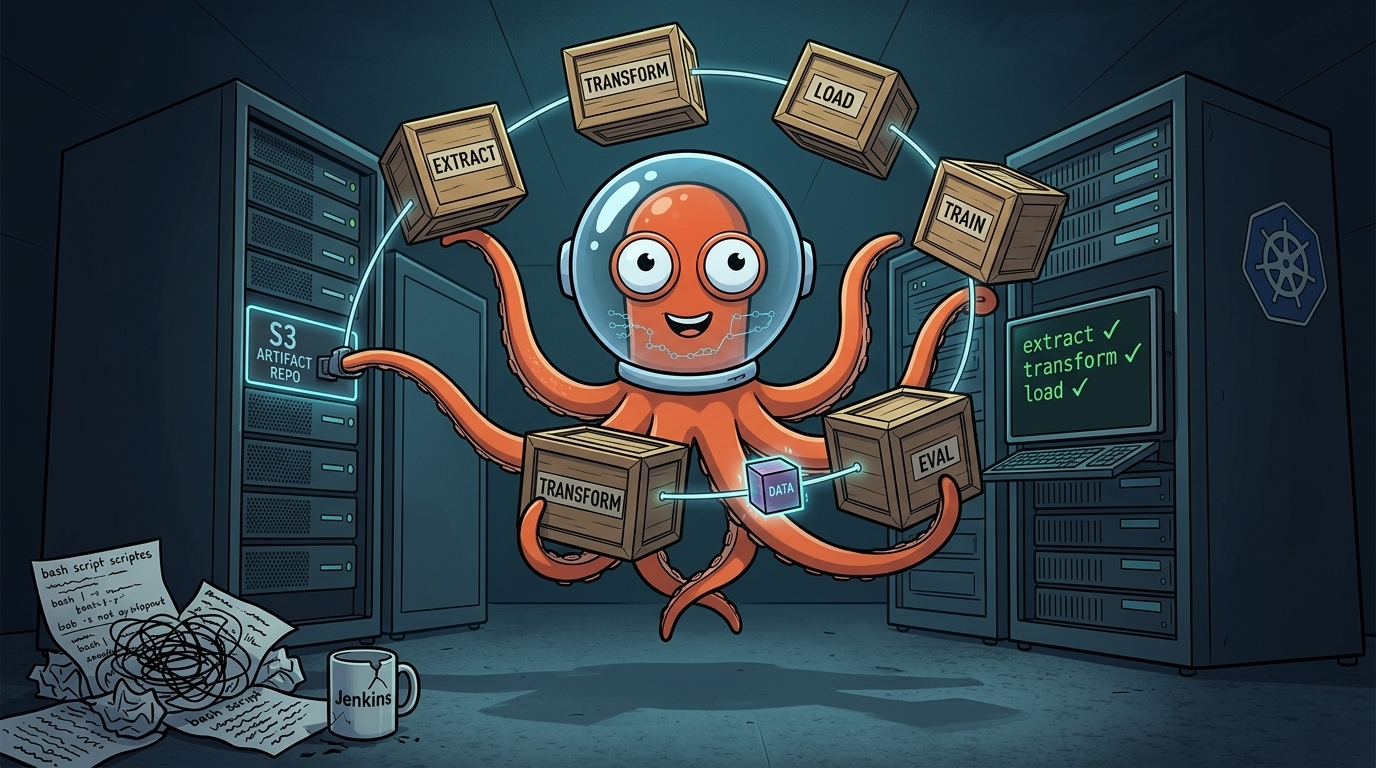
Someone on the data science team needs to run a 47-step pipeline that takes six hours, and if it dies on step 46, restarting from scratch instead of resuming from the failure point burns another $3,000 in compute for nothing. Or the ML team wants to fan out 200 parallel hyperparameter jobs. Or - the most common path by far - somebody wrote a Jenkins pipeline out of fourteen nested bash scripts three years ago, and you've been told to "move it to Kubernetes" by someone who has not defined what that means and does not plan to.
Argo Workflows is the answer most teams land on. It's a Kubernetes-native workflow engine, implemented as a CRD, that lets you define multi-step pipelines as DAGs or sequential steps, run each step as a container, and watch the whole thing execute in a UI instead of tailing a Jenkins log over SSH. The pitch is that you get real orchestration without leaving Kubernetes or paying a vendor for a managed scheduler. The catch is that it's a genuinely large, opinionated system, and the parts that bite you are rarely the parts the quickstart covers.
Which Argo Is This, Anyway
Quick disambiguation before anything else, because "I set up Argo" is one of the most useless sentences in platform engineering. The Argo Project is four separate CNCF graduated tools that share a name and roughly nothing else operationally: Argo CD does GitOps continuous delivery, Argo Rollouts does progressive delivery (canary and blue-green), Argo Events does event-driven triggering, and Argo Workflows - the subject here - runs multi-step batch and pipeline jobs. You can run all four in the same cluster and they will happily ignore each other. If a coworker says "the Argo controller is stuck," your first question should be "which one," not "why."
What It Actually Does
A Workflow is a single CRD that describes an entire execution graph in one manifest: the container images, the step ordering, the parameters, the retry policy, and how outputs move between steps. You submit it, the workflow-controller reads it, and it creates a pod per step according to either a steps template (sequential, or explicitly parallel) or a dag template (dependency graph). This is the whole appeal - you can open one YAML file and read the entire execution plan, instead of reconstructing it from five chained CI jobs.
apiVersion: argoproj.io/v1alpha1
kind: Workflow
metadata:
  generateName: etl-pipeline-
spec:
  entrypoint: main
  templates:
    - name: main
      dag:
        tasks:
          - name: extract
            template: run-step
            arguments: {parameters: [{name: step, value: extract}]}
          - name: transform
            dependencies: [extract]
            template: run-step
            arguments: {parameters: [{name: step, value: transform}]}
          - name: load
            dependencies: [transform]
            template: run-step
            arguments: {parameters: [{name: step, value: load}]}
    - name: run-step
      inputs:
        parameters: [{name: step}]
      container:
        image: myregistry/etl:latest
        command: [python, run.py]
        args: ["--stage", "{{inputs.parameters.step}}"]
The controller doesn't run anything itself - it just reads the DAG above, top to bottom, and creates one pod per task in dependency order, wiring each task's declared inputs to the previous task's declared outputs.
The Building Blocks You'll Actually Use
Each pod's container is wrapped by Argo's own executor, which intercepts the process to capture output and enforce the step's lifecycle. As of Argo Workflows 3.4, there's exactly one executor left - emissary - after the older Docker, kubelet, and PNS-based executors were removed. That's a good thing operationally: fewer moving parts, no dependency on privileged Docker socket access on the node.
Once you're past a handful of Workflow YAMLs, you'll want WorkflowTemplate (a reusable, namespaced definition), ClusterWorkflowTemplate (the same thing, shared across namespaces), and CronWorkflow (a scheduled Workflow, Argo's equivalent of a CronJob). If your team is Python-heavy, the Hera SDK lets you define workflows as Python code instead of hand-writing YAML, which is worth adopting the moment your Workflow files start getting templated with Jinja out of sheer desperation.
Argo Workflows vs. Tekton vs. Just Writing a CronJob
Don't reach for a workflow engine before you need one. A single-step batch job is a CronJob or a Job, full stop - you do not need a DAG engine to run one container on a schedule. The moment you have conditional branching, fan-out parallelism, or steps that depend on each other's output, you're choosing between Argo Workflows, Tekton, or standing up Airflow somewhere and accepting a second control plane to operate.
Tekton splits a pipeline into separate Task, Pipeline, and TaskRun/PipelineRun CRDs. That's architecturally clean and operationally annoying - you end up managing several custom resources to describe one job - and it leans hard into CI/CD and supply-chain provenance, which is exactly right if you're building a compliance-driven delivery platform and overkill if you just want a nightly ETL run.
Argo Workflows keeps the whole DAG in one CRD. The tradeoff shows up as your manifests grow large and repetitive, pushing you toward Helm templating or Hera. For data processing and ML pipelines, I'd take Argo Workflows over Tekton every time - the single-manifest model is easier to reason about at 2am. For a CI/CD platform where Tasks get reused across dozens of Pipelines and someone from security cares about SBOM provenance, Tekton earns its complexity. For everything in between, Argo Workflows is the better default.
Passing Data Between Steps: Artifacts Aren't Optional Reading
Argo Workflows moves data between steps as artifacts - files uploaded to and downloaded from an external repository, not shared memory or a mounted volume. This is configured once, cluster-wide, via the artifactRepository key in the workflow-controller-configmap ConfigMap, and it supports S3, GCS, Azure Blob, Alibaba OSS, MinIO, Artifactory, HDFS, and a couple of input-only options like Git and raw HTTP. Skip this configuration and artifact passing either fails outright or only appears to work within a single pod - which is a genuinely confusing afternoon to debug if you don't already know where to look.
# workflow-controller-configmap, S3 backend
apiVersion: v1
kind: ConfigMap
metadata:
  name: workflow-controller-configmap
data:
  artifactRepository: |
    s3:
      endpoint: s3.amazonaws.com
      bucket: my-argo-artifacts
      region: us-east-1
      accessKeySecret:
        name: s3-creds
        key: accessKey
      secretKeySecret:
        name: s3-creds
        key: secretKey
flowchart LR
    A[Pod: step A] -->|uploads output| R[(Artifact repository\nS3 / GCS / MinIO / etc.)]
    R -->|downloads input| B[Pod: step B]
Step A and step B never talk to each other directly, and they're almost never on the same node - the repository in the middle is the only thing making data passing work, which is exactly why forgetting to configure it breaks everything silently.
For local development, the docs walk through installing MinIO via Helm as an S3-compatible stand-in - use it, don't skip straight to hand-rolling credentials against real cloud storage for a dev cluster. If your workflows are pure compute with nothing to hand between steps, you can bypass artifacts entirely with the resource template type, which just creates Kubernetes resources (Jobs, ConfigMaps, whatever) directly. It's simpler but less flexible, and it's the right call more often than people assume. What you should not do is share state across steps with an emptyDir volume - that only works if every step lands on the same node, and you will eventually hit the day it doesn't.
Where This Bites You in Production
RBAC is more layered than the quickstart implies. The workflow-controller's own ServiceAccount needs broad permission to create and manage pods - that's the controller's job, and it's usually handled by the install manifests. The ServiceAccount your Workflow runs as is a different, narrower thing: as of 3.4+, the minimum it needs is create and patch on the workflowtaskresults.argoproj.io resource, which is how the executor reports step output back to the controller. If your workflow uses the resource template to create Jobs or other objects, that ServiceAccount needs permission for those specific resources too - and forgetting this is one of the most common reasons a workflow's steps fail silently or never progress the way you expected.
Dependency ordering is explicit, not inferred. Argo runs DAG tasks in parallel unless you declare a dependencies field between them. It will not infer ordering from the fact that step B references an artifact produced by step A - if you skip dependencies, both steps launch together, and step B fails because the file it wants doesn't exist yet. The tell is steps starting simultaneously when you expected sequential execution. Declare every dependency explicitly; don't assume Argo is reading your mind about data flow.
Retry loops can quietly burn your compute budget. Per-step retryStrategy with a backoff is genuinely useful, but set retryStrategy.limit too high on a step that's failing for a persistent reason and you'll pay for it in a hurry. Set sane retry limits, use retryStrategy.retryPolicy: OnFailure so you're not retrying steps that were killed by a transient node eviction, and set activeDeadlineSeconds at the Workflow level as a hard timeout. A workflow still running twelve hours in is not "almost done," it's stuck.
Thundering-herd pod creation is a real cluster killer. Someone submits fifty Workflows, each fanning out a hundred parallel steps, and Argo will happily try to schedule five thousand pods at once. Cap concurrency with parallelism at the Workflow or DAG level, set real resource requests/limits via podSpecPatch on your WorkflowTemplates, and if you're running Argo in a shared, multi-tenant cluster, back it with per-namespace ResourceQuotas. "You're allowed to submit it" and "it's actually going to run" are different guarantees, and your users need to understand that distinction before they find out the hard way.
Getting It Into Production Without Regret
Namespace separation, before anything else runs. Install the controller and UI in their own namespace - not default, not kube-system - and point them at a separate namespace for running Workflows themselves. Don't run workflow pods in the controller's namespace; the first malformed Workflow someone submits shouldn't be able to take the controller down with it.
Artifact repository, validated before anyone else touches this. Configure it, then prove it works with a two-step Workflow where step one writes a file and step two reads it back. If step two can't find it, check credentials and bucket policy before you assume the YAML is wrong.
One reusable WorkflowTemplate for your actual use case. Extract/transform/load, or data-prep/train/evaluate - whatever your team's shape is, build it once as a WorkflowTemplate (or ClusterWorkflowTemplate if it needs to be shared across namespaces) so people submit parameters instead of hand-editing fifty near-identical Workflow files. Scheduled jobs are what CronWorkflow is for.
RBAC, tested as a non-admin before you trust it. A scoped ServiceAccount per execution namespace, bound via serviceAccountName on the Workflow - confirm it actually works by submitting as a non-admin user, not by reading the YAML and assuming.
Monitoring that doesn't depend on someone staring at the UI. The controller exposes Prometheus metrics on workflow and pod counts, labeled by phase (values like Running, Succeeded, Failed, Error) - alert on Failed/Error directly. The UI is excellent for debugging one specific workflow after something has already gone wrong; it is not a substitute for alerting.
A runbook, written before the third incident, not after. Workflows stuck instead of progressing, steps timing out, artifact repository auth failures, the controller itself misbehaving. You'll be glad it's written down instead of explained from memory in a Slack thread at 11pm.
The Actual Point
Argo Workflows earns its complexity for the workloads that actually need a DAG - data pipelines, ML training, anything with retries and fan-out that a CronJob can't express. What trips teams up is treating it like a drop-in Jenkins replacement instead of the distinct system it is: artifacts need a real repository configured before day one, dependency ordering is never inferred, and the ServiceAccount that runs your steps needs different permissions than the one running the controller. Get those three things right before you onboard your first real pipeline, and the rest of it - the DAGs, the retries, the templates - is genuinely pleasant to operate.
Source Links
- Argo Workflows GitHub repository
- Argo Workflows documentation
- Container executors
- Configuring your artifact repository
- Workflow RBAC
- Workflow controller metrics
- Hera Python SDK
Related Pages
- Parent index: Blog
- Related: Argo Rollouts Blue-Green Deployments: What Zero Downtime Actually Requires in Production
- Related: CI Builds It. Who Ships It?
- Ecosystem reference: Argo CD
- Evergreen reference: Maintenance and upgrades